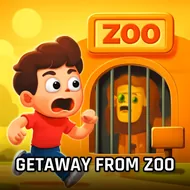
Getaway From Zoo
Instructions:
Mouse InteractDescription
How To Play Getaway From Zoo
Control Scheme
- Click around the screen to check out different areas of the zoo grounds.
- Left-click on any object that catches your eye, some are useful, some are just scenery.
- Pick up items and stash them for later, you'll need most of what you find.
- Combine objects when the game hints they belong together.
- Zoom in on locked cabinets, gates, or crates to hunt for tiny details you might've walked right past.
- No keyboard needed here, it's just you, the mouse, and a lot of clicking around.
So here's the setup: you brought your own animals along for a day at the zoo, which honestly already sounds like a bad idea, and now you're the one stuck behind the fences. The gates are locked, the paths loop back on themselves, and there's nobody around to let you out. That's where the puzzle-solving kicks in. You're wandering enclosures and back rooms that feel abandoned in that slightly eerie way old zoos do, poking through sheds and cages for anything that looks like it might unlock a way forward. Nothing here is handed to you. A key might be buried under hay, a code might be scratched onto the inside of a fence post, and you won't know until you go looking. It's slow-burn tension rather than jump-scare horror, the kind of atmosphere where every click could either move you closer to freedom or waste a few minutes chasing a dead end.
Features
- Point-and-click gameplay built entirely around observation and logic, no reflexes required.
- A string of hidden object challenges scattered across different zoo areas.
- Puzzles that lean on combining and using items rather than pure luck.
- An enclosed setting that slowly shifts from familiar to genuinely unsettling.
- Simple mouse-only controls, so anyone can jump in without a tutorial.
- A satisfying sense of progress every time one locked door finally gives way.